Aller au contenu
View in the app

A better way to browse. Learn more.

CIVILMANIA

A full-screen app on your home screen with push notifications, badges and more.

To install this app on iOS and iPadOS
  1. Tap the Share icon in Safari
  2. Scroll the menu and tap Add to Home Screen.
  3. Tap Add in the top-right corner.
To install this app on Android
  1. Tap the 3-dot menu (⋮) in the top-right corner of the browser.
  2. Tap Add to Home screen or Install app.
  3. Confirm by tapping Install.
Exprimer un besoin

Mr HAMOU

Membres
  • Inscription

  • Dernière visite

Fichiers posté(e)s par Mr HAMOU

  1. MANUEL DE REFERENCE D'ANALYSE - SAP2000
    • Gratuit
    • 123 Téléchargements
    Soumis
  2. Support de cours
    Béton armé
     
    • Gratuit
    • 101 Téléchargements
    Soumis
    • Gratuit
    • 43 Téléchargements
    Soumis
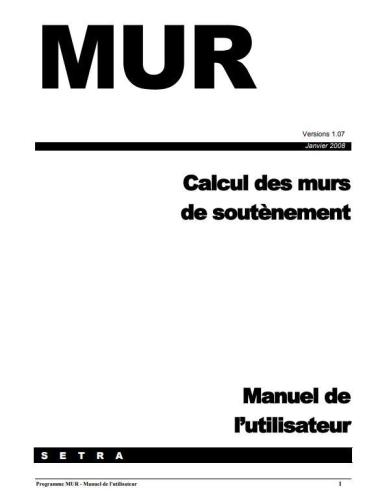
  3. Calcul des murs de soutènement
    • Gratuit
    • 125 Téléchargements
    Soumis
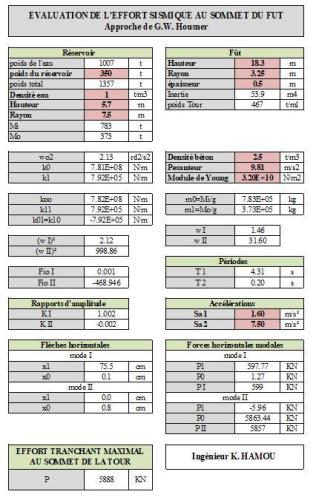
  4. Calcul pratique de réservoirs en zone sismique
    • Gratuit
    • 53 Téléchargements
    Soumis
  5. RISQUES DYNAMIQUES POUR LES OUVRAGES MARITIMES ET FLUVIAUX
    • Gratuit
    • 16 Téléchargements
    Soumis
  6. Fascicule n° 62 - Titre I.pdf
    • Gratuit
    • 26 Téléchargements
    Soumis
  7. Fascicule n° 61 - Titre V.pdf
    • Gratuit
    • 19 Téléchargements
    Soumis
  8. Fascicule n° 61 - Titre II.pdf
    • Gratuit
    • 52 Téléchargements
    Soumis
  9. Fascicule 74.pdf
    • Gratuit
    • 36 Téléchargements
    Soumis
  10. Fascicule n° 62 - Titre V.pdf
    • Gratuit
    • 63 Téléchargements
    Soumis

Configure browser push notifications

Chrome (Android)
  1. Tap the lock icon next to the address bar.
  2. Tap Permissions → Notifications.
  3. Adjust your preference.
Chrome (Desktop)
  1. Click the padlock icon in the address bar.
  2. Select Site settings.
  3. Find Notifications and adjust your preference.