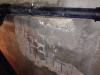
Je viens vers vous suite un problème que j'ai eu durant mon stage en conduite de travaux .Le terrassier a traversé un mur mitoyen qui se situe au sous sol par rapport a mon bâtiment futur . C'était pour savoir les différentes solutions pour le réparer tout en donnant un mode opératoire .
Vous pouvez publier maintenant et vous inscrire plus tard.
Si vous avez un compte, connectez-vous maintenant pour publier avec votre compte.
Remarque: votre message nécessitera l’approbation d’un modérateur avant de pouvoir être visible.





comment_89468Bonjour,
Je viens vers vous suite un problème que j'ai eu durant mon stage en conduite de travaux .Le terrassier a traversé un mur mitoyen qui se situe au sous sol par rapport a mon bâtiment futur . C'était pour savoir les différentes solutions pour le réparer tout en donnant un mode opératoire .