Assalam alekum bonjour a tous..suis dans un laboratoire..pardon je ne sais si y'a quelqu’un qui peu m'aide sur le montage le fonctionnement et le câblage des différent pièce de ce dynamomètre..Type E0101-150 (3000kn) N° série j: 03548 et le E0102-146 (300kn) N° série J03549...merci d'avance
Vous pouvez publier maintenant et vous inscrire plus tard.
Si vous avez un compte, connectez-vous maintenant pour publier avec votre compte.
Remarque: votre message nécessitera l’approbation d’un modérateur avant de pouvoir être visible.





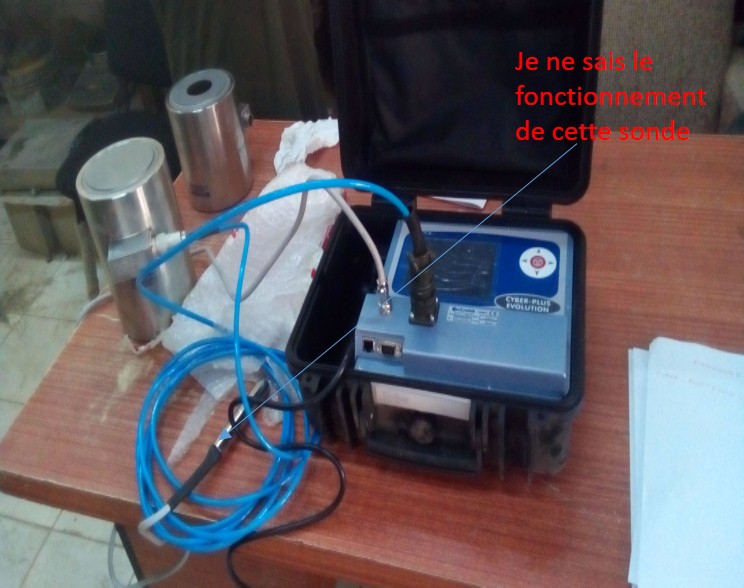
comment_116515Assalam alekum bonjour a tous..suis dans un laboratoire..pardon je ne sais si y'a quelqu’un qui peu m'aide sur le montage le fonctionnement et le câblage des différent pièce de ce dynamomètre..Type E0101-150 (3000kn) N° série j: 03548 et le E0102-146 (300kn) N° série J03549...merci d'avance![]()
![]()
![]()
![]()
![]()
![]()
![]()
![]()
![]()
![]()