J'ai besoin de votre aide pour résoudre un problème de génération de note de calcul de semelles isolées des fondations sous robot RSA (MODULE DE CONCEPTION DES ARMATURES).
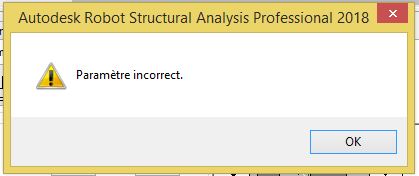
Après le lancement du calcul, lorsque je lance la note de calcul il y a ce message d'erreur qui s'affiche (voir image) même après la mise à jour du modèle.
Vous pouvez publier maintenant et vous inscrire plus tard.
Si vous avez un compte, connectez-vous maintenant pour publier avec votre compte.
Remarque: votre message nécessitera l’approbation d’un modérateur avant de pouvoir être visible.





comment_145500Bonjours à tous
J'ai besoin de votre aide pour résoudre un problème de génération de note de calcul de semelles isolées des fondations sous robot RSA (MODULE DE CONCEPTION DES ARMATURES).
Après le lancement du calcul, lorsque je lance la note de calcul il y a ce message d'erreur qui s'affiche (voir image) même après la mise à jour du modèle.
MERCI D'AVANCE POUR VOS AIDES