Bonjour ,
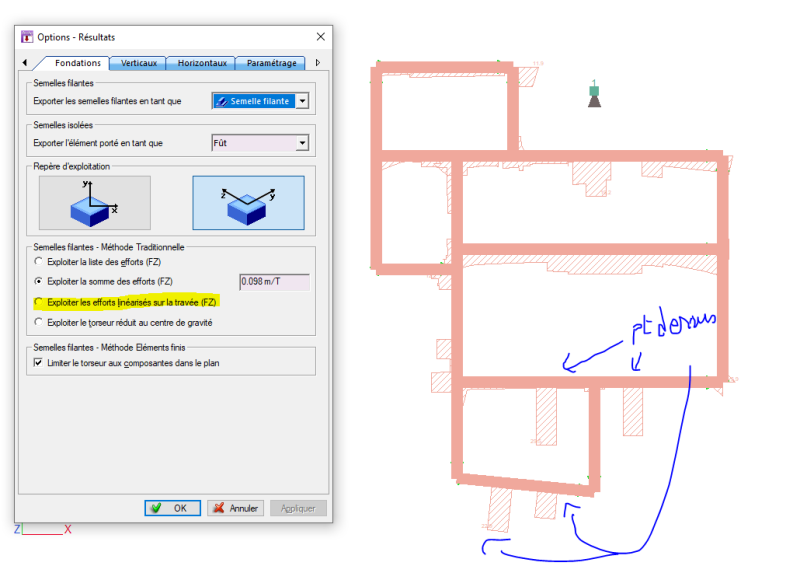
Vos avis svp par rapport à la linéarisation des efforts sur fondation, verticaux(voiles) & poutres ..
et s'il y a des inconvénients lesquelles ??
Peut être je vois qu'on aura des sections de nos éléments fortement sollicités et après linéarisation ne le sont plus et donc sous-dimensionnés section béton et armatures, si c'est le cas pourquoi le logiciel nous donne ces options dans quels cas ils seront utiles ??
ce sont mes interrogations je serais reconnaissant pour vos réactivités. merci.
Vous pouvez publier maintenant et vous inscrire plus tard.
Si vous avez un compte, connectez-vous maintenant pour publier avec votre compte.
Remarque: votre message nécessitera l’approbation d’un modérateur avant de pouvoir être visible.





comment_217813Bonjour ,
Vos avis svp par rapport à la linéarisation des efforts sur fondation, verticaux(voiles) & poutres ..
et s'il y a des inconvénients lesquelles ??
Peut être je vois qu'on aura des sections de nos éléments fortement sollicités et après linéarisation ne le sont plus et donc sous-dimensionnés section béton et armatures, si c'est le cas pourquoi le logiciel nous donne ces options dans quels cas ils seront utiles ??
ce sont mes interrogations je serais reconnaissant pour vos réactivités. merci.