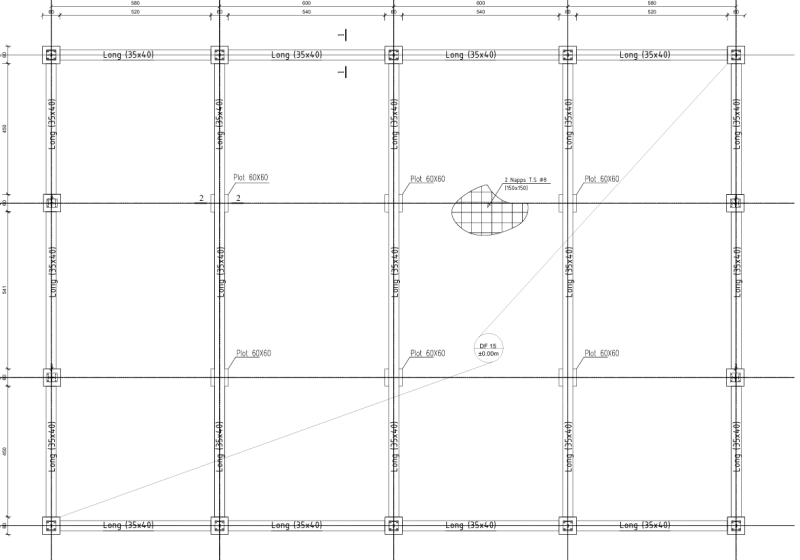
j'ai une question concernant les longrines dans un hangar , es ce que je peux supprimer les longrines qui sont mentionnée dans l'image en pièce jointe et juste laisse la dalle flottante ?? si oui ou non , argumenter avec un dtr valable en Algérie sachant que ce projet est situé à la wilaya de TINDOUF ZONE 0 SELON LE rpa2003
Vous pouvez publier maintenant et vous inscrire plus tard.
Si vous avez un compte, connectez-vous maintenant pour publier avec votre compte.
Remarque: votre message nécessitera l’approbation d’un modérateur avant de pouvoir être visible.





comment_235981Bonjour cher collègues
j'ai une question concernant les longrines dans un hangar , es ce que je peux supprimer les longrines qui sont mentionnée dans l'image en pièce jointe et juste laisse la dalle flottante ?? si oui ou non , argumenter avec un dtr valable en Algérie sachant que ce projet est situé à la wilaya de TINDOUF ZONE 0 SELON LE rpa2003