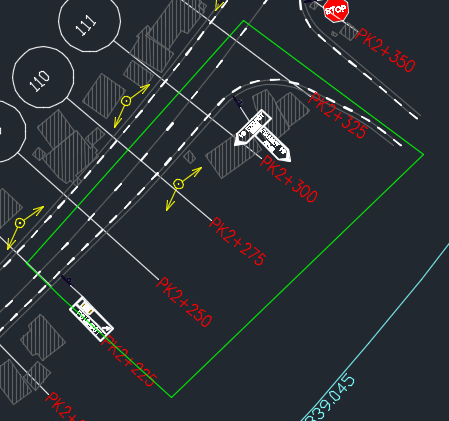
Sur la pièce jointe, j'aimerais faire un marquage de la chaussée de rive avec T'3: 20-6 à partir de la zone entourée sur le fichier joint. J'aimerais avoir la commande qui me permettra de repeter un trait de 20m espacé de 6m sur la toute la polyline que que j'ai entouré. Sur le fichier, la longueur du trait est de 3m et espacés de 3.5 (T2)
Vous pouvez publier maintenant et vous inscrire plus tard.
Si vous avez un compte, connectez-vous maintenant pour publier avec votre compte.
Remarque: votre message nécessitera l’approbation d’un modérateur avant de pouvoir être visible.





comment_126356Bonjour à tous les civilmanians!!!
J'ai un pb sur un Autocad.
Sur la pièce jointe, j'aimerais faire un marquage de la chaussée de rive avec T'3: 20-6 à partir de la zone entourée sur le fichier joint. J'aimerais avoir la commande qui me permettra de repeter un trait de 20m espacé de 6m sur la toute la polyline que que j'ai entouré. Sur le fichier, la longueur du trait est de 3m et espacés de 3.5 (T2)
Cordialement