Aller au contenu
View in the app

A better way to browse. Learn more.

CIVILMANIA

A full-screen app on your home screen with push notifications, badges and more.

To install this app on iOS and iPadOS
  1. Tap the Share icon in Safari
  2. Scroll the menu and tap Add to Home Screen.
  3. Tap Add in the top-right corner.
To install this app on Android
  1. Tap the 3-dot menu (⋮) in the top-right corner of the browser.
  2. Tap Add to Home screen or Install app.
  3. Confirm by tapping Install.
Posté(e)
comment_134441

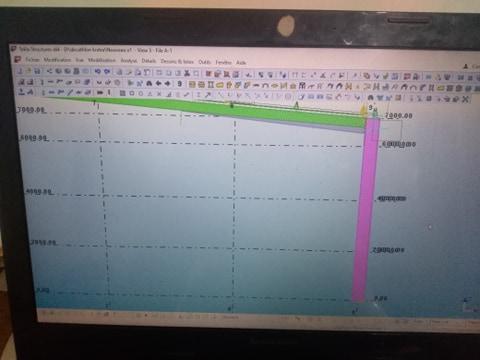
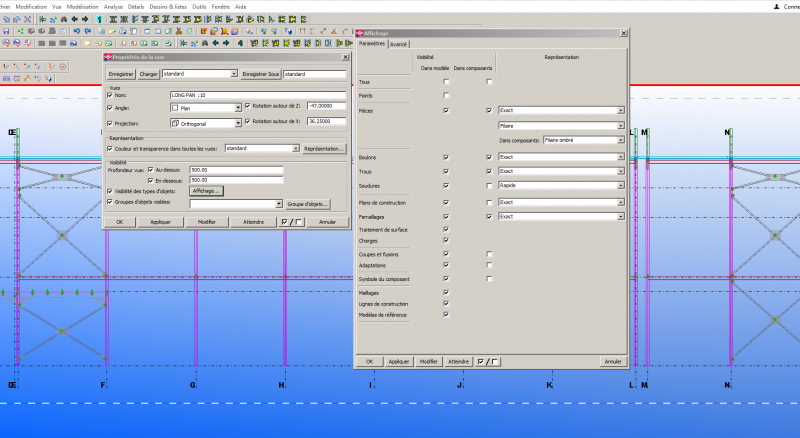
bonjour chers ingénieurs comment je peut afficher la vue en plan sur tekla comme un dessin autocad voila deux images la 1ere c'est la vue afficher sur mon logiciel et la 2eme c'est la forme chercher 

61388121_307337266845893_6180972703659327488_n.jpg

61413182_1635427879927604_4562108115712999424_n.jpg

  • Réponses 1
  • Vues 1.1k
  • Créé
  • Dernière réponse

Meilleurs contributeurs dans ce sujet

Jours populaires

Messages populaires

  • ouguergouz
    ouguergouz

    bonjour double clique sur la vue - affichage - et choisir le type souhaité  CRDT    
Images postées

recommended_posts

comment_134442
Il y a 10 heures, ELIDRISSI Ayoub a dit :

bonjour chers ingénieurs comment je peut afficher la vue en plan sur tekla comme un dessin autocad voila deux images la 1ere c'est la vue afficher sur mon logiciel et la 2eme c'est la forme chercher 

61388121_307337266845893_6180972703659327488_n.jpg


61413182_1635427879927604_4562108115712999424_n.jpg

bonjour

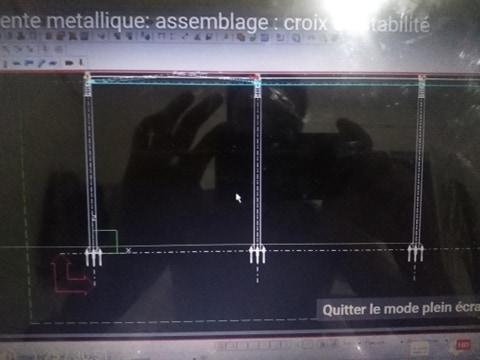
double clique sur la vue - affichage - et choisir le type souhaité 

CRDT


tekla.PNG

Modifié par ouguergouz

Rejoindre la conversation

Vous pouvez publier maintenant et vous inscrire plus tard. Si vous avez un compte, connectez-vous maintenant pour publier avec votre compte.
Remarque: votre message nécessitera l’approbation d’un modérateur avant de pouvoir être visible.

Invités
Répondre à ce sujet…

Configure browser push notifications

Chrome (Android)
  1. Tap the lock icon next to the address bar.
  2. Tap Permissions → Notifications.
  3. Adjust your preference.
Chrome (Desktop)
  1. Click the padlock icon in the address bar.
  2. Select Site settings.
  3. Find Notifications and adjust your preference.