Je suis en train d'apprendre à dimensionner les fondations pour un hangar en suivant un tutoriel sur youtube.
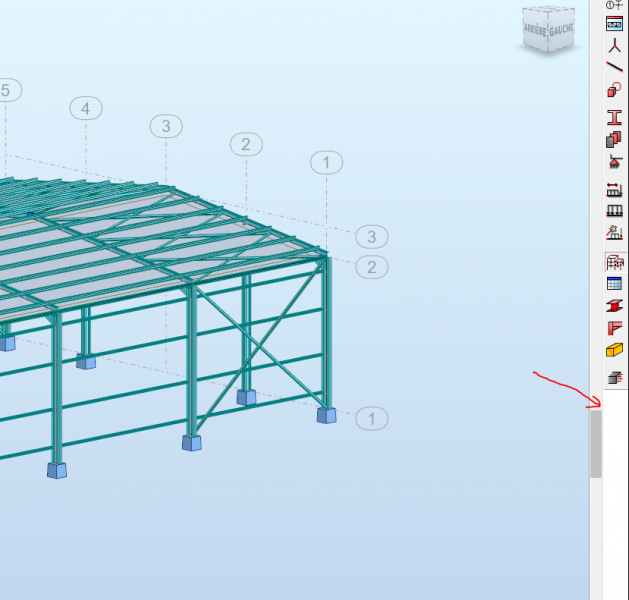
pourquoi l'onglet (dimensionnement des semelles en béton armé n’apparaît pas dans mon robot)?? alors que dans celui de la vidéo que je regarde , il y est !!
Svp dites moi qu'est ce que j'ai oublié de sélectionner ?
Vous pouvez publier maintenant et vous inscrire plus tard.
Si vous avez un compte, connectez-vous maintenant pour publier avec votre compte.
Remarque: votre message nécessitera l’approbation d’un modérateur avant de pouvoir être visible.





comment_139605Bonjour à tous
Je suis en train d'apprendre à dimensionner les fondations pour un hangar en suivant un tutoriel sur youtube.
pourquoi l'onglet (dimensionnement des semelles en béton armé n’apparaît pas dans mon robot)?? alors que dans celui de la vidéo que je regarde , il y est !!
Svp dites moi qu'est ce que j'ai oublié de sélectionner ?
Je vous remercie d'avancer