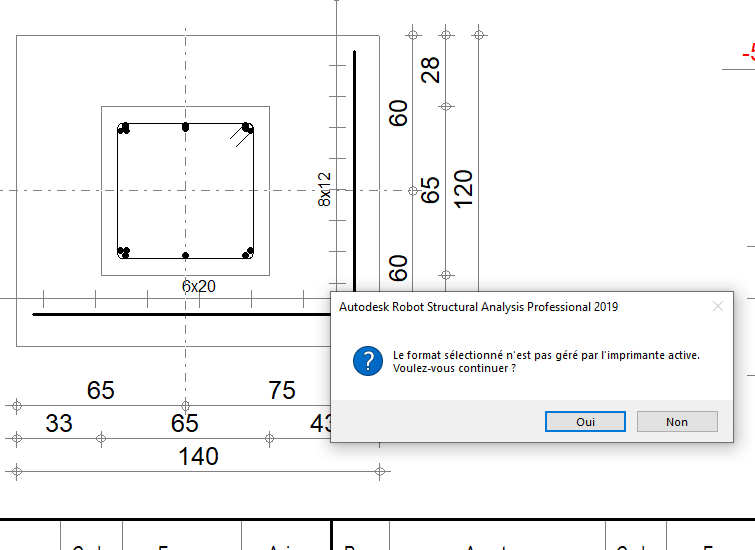
Posté(e) Juillet 8, 20206 a comment_143799 Bonjour à tous, pour pouvoir enregistrer mes plans en format pdf , je vais à chaque fois sur IMPRIMER puis je mets "PRINT TO PDF" et là j'ai mon plan pdf. mais ce matin j'ai été modifier le nom du projet et depuis j'arrive plus à enregistrer en format PDF. robot m'affiche ça Puis il me donne des pages sans plan . QU'est ce que je dois modifier ou avez vous une autre méthode pour enregistrer le plan en format PDF svp ?





comment_143799Bonjour à tous,
pour pouvoir enregistrer mes plans en format pdf , je vais à chaque fois sur IMPRIMER puis je mets "PRINT TO PDF" et là j'ai mon plan pdf.
mais ce matin j'ai été modifier le nom du projet et depuis j'arrive plus à enregistrer en format PDF.
robot m'affiche ça
Puis il me donne des pages sans plan .
QU'est ce que je dois modifier ou avez vous une autre méthode pour enregistrer le plan en format PDF svp ?