Aller au contenu
View in the app

A better way to browse. Learn more.

CIVILMANIA

A full-screen app on your home screen with push notifications, badges and more.

To install this app on iOS and iPadOS
  1. Tap the Share icon in Safari
  2. Scroll the menu and tap Add to Home Screen.
  3. Tap Add in the top-right corner.
To install this app on Android
  1. Tap the 3-dot menu (⋮) in the top-right corner of the browser.
  2. Tap Add to Home screen or Install app.
  3. Confirm by tapping Install.
Posté(e)
comment_41848

j ai remarqué qu tous les liens ne marchent pas ! j ai pas pu ouvrir aucun lien; il m ecrit :The requested URL anonym.to was not found on this server.

svp aidez moi à resoudre ce probleme

j utilise le firefox et opera ;

merci

  • Réponses 9
  • Vues 560
  • Créé
  • Dernière réponse

Meilleurs contributeurs dans ce sujet

Images postées

recommended_posts

comment_41999

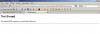
voila ce que ca donne ;

voir photo ci joint

ceci c pour tous les liens sans exception

bonsoir apparement vous utilisez Mozilla Firefox je vous propose d'essayer Explorer7 ou bien le 8 :shock: peut etre ca réglera votre probléme

  • Auteur
comment_42000

bonjour, quand vous cliquez sur un lien vous avez ceci:

Not Found

The requested URL anonym.to was not found on this server.

regardez dans la barre d'adresse, vous verrez ceci:

http://anonym.to/?http://www.4shared.co ... nline.html

vous devez éliminer le "http://anonym.to/?" devant votre lien et faire entrée, le lien se valide, j'ai le même problème et je procède comme çà. je ne sais pas pourquoi

MERCI AHMED CA MARCH AVEC CETTE SOLUTION . YATIK ESSAHA

Configure browser push notifications

Chrome (Android)
  1. Tap the lock icon next to the address bar.
  2. Tap Permissions → Notifications.
  3. Adjust your preference.
Chrome (Desktop)
  1. Click the padlock icon in the address bar.
  2. Select Site settings.
  3. Find Notifications and adjust your preference.