
Tout publié par Wheatley
-
ecrasement des eprouvettes à 07 et 28 jours
- Bandes noyées
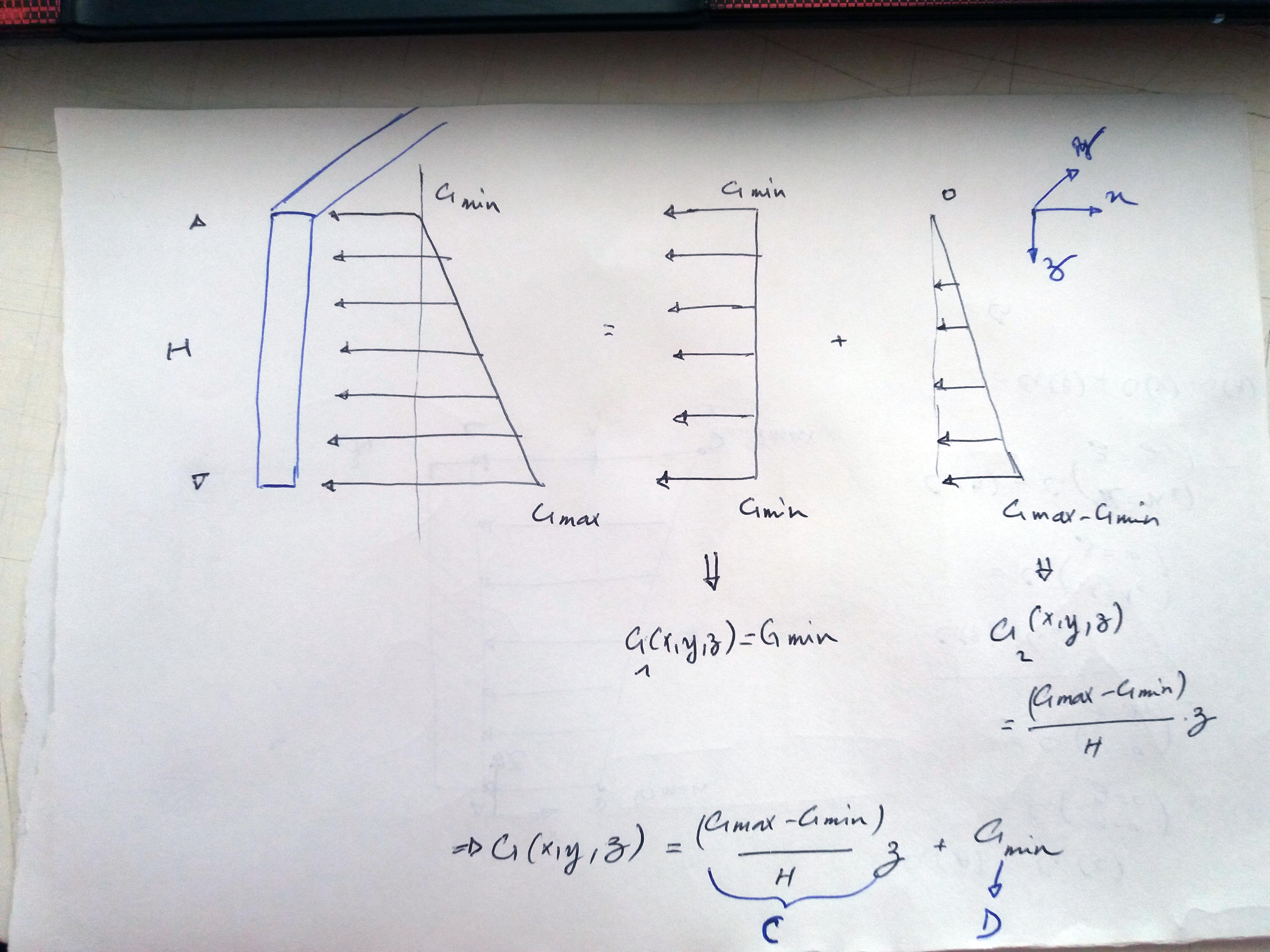
- charge trapézoïdal
- Fondations pour un terrain rocheux
- Forme irrégulière d'une dalle.
- Mur de soutènement avec contreforts
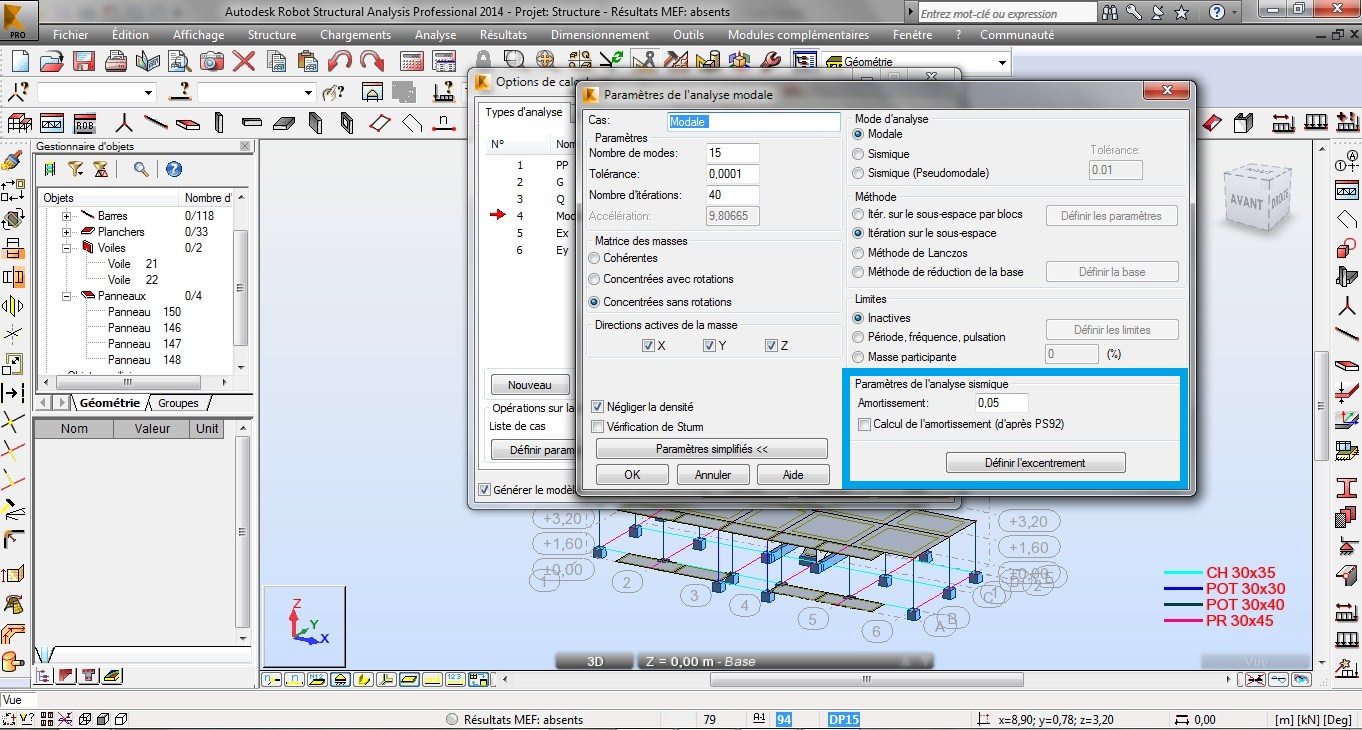
- Coefficient d'amortissement en analyse modale sur RSA
- 1 réponse
-
- analysis
- coefficient
- dynamique
- maroc
-
+3 plus
Étiqueté avec:
- Préfabrication des ouvrages : pour ou contre ?
- [DEMANDE] prix unitaires des travaux sur chantier au Maroc
- Préfabrication des ouvrages : pour ou contre ?
- Dimensionnement d'un hangar en charpente métallique
- Recueil de livres de Béton Armé
- 5 réponses
-
- applications
- bael 91
- calcul
- cours
-
+3 plus
Étiqueté avec:
- Recueil de livres de Béton Armé
- 5 réponses
-
- applications
- bael 91
- calcul
- cours
-
+3 plus
Étiqueté avec:
- Dimensionnement des collecteurs,et ouvrages speciaux(bassin dorage
- GOOGLE EARTH PRO
- Exemple de plan d'execution
- demande
- CHERCHE DESSIN FERALLAIGE D'UN REGARD PRINCIPA D'ASSINIMMENT
- Dimensions regard de visite
- [Partage de livre] CHARPENTES MÉTALLIQUE - Conception et dimensionnement des halles et bâtiments volume 11
- [Proposition] nouveaux liens pour les anciens sujets
- Recherche du "le calcul et la vérification des ouvrages en béton"
Compte
Navigation
Recherche
Configure browser push notifications
Chrome (Android)
- Tap the lock icon next to the address bar.
- Tap Permissions → Notifications.
- Adjust your preference.
Chrome (Desktop)
- Click the padlock icon in the address bar.
- Select Site settings.
- Find Notifications and adjust your preference.
Safari (iOS 16.4+)
- Ensure the site is installed via Add to Home Screen.
- Open Settings App → Notifications.
- Find your app name and adjust your preference.
Safari (macOS)
- Go to Safari → Preferences.
- Click the Websites tab.
- Select Notifications in the sidebar.
- Find this website and adjust your preference.
Edge (Android)
- Tap the lock icon next to the address bar.
- Tap Permissions.
- Find Notifications and adjust your preference.
Edge (Desktop)
- Click the padlock icon in the address bar.
- Click Permissions for this site.
- Find Notifications and adjust your preference.
Firefox (Android)
- Go to Settings → Site permissions.
- Tap Notifications.
- Find this site in the list and adjust your preference.
Firefox (Desktop)
- Open Firefox Settings.
- Search for Notifications.
- Find this site in the list and adjust your preference.
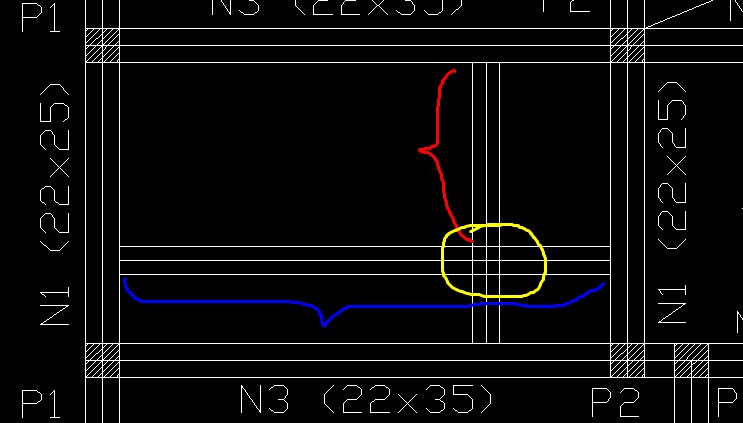
- Bandes noyées